Introduction
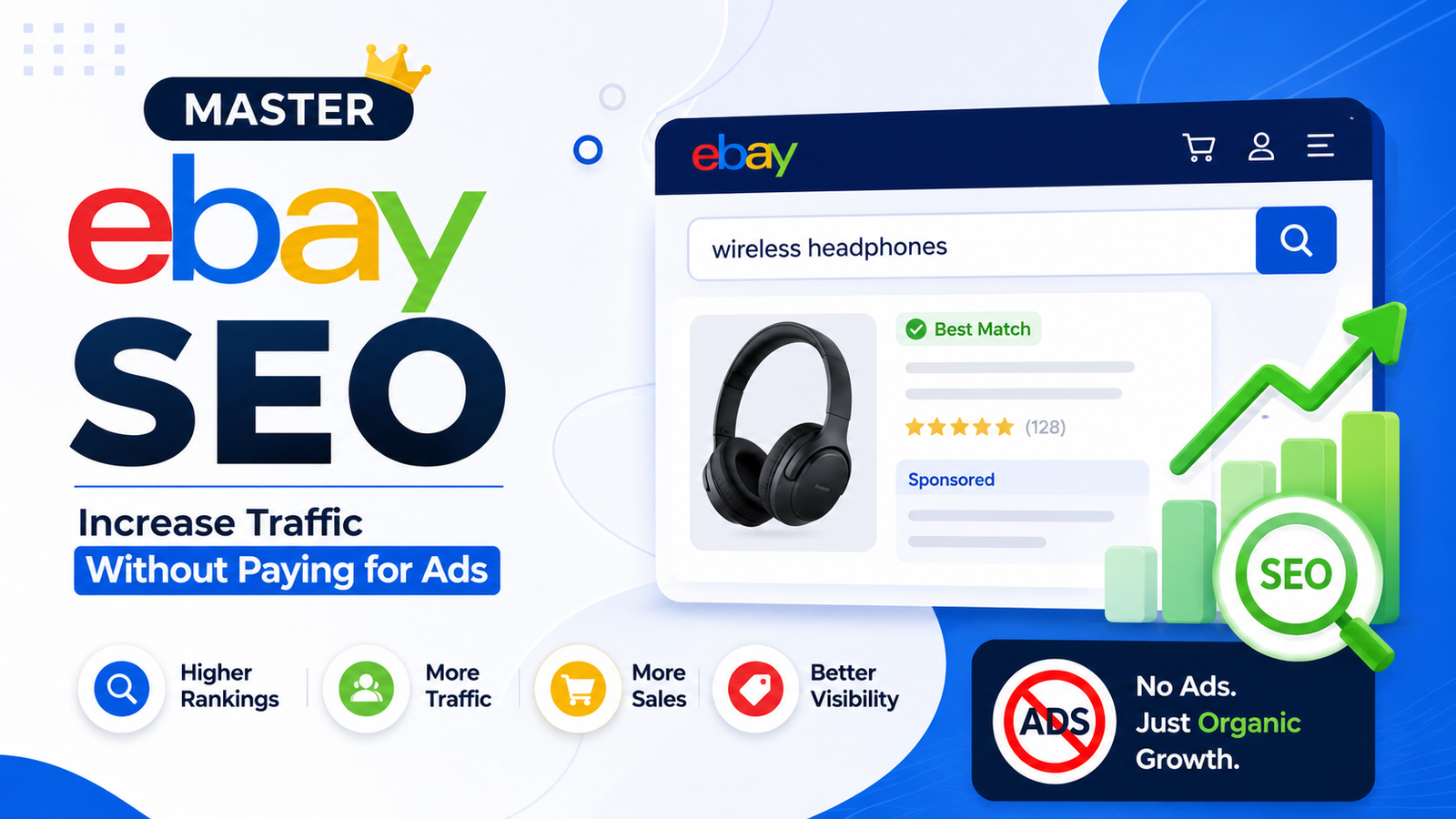
Every eBay seller wants the same thing: more visibility, more clicks, and more sales. While many sellers believe they need to spend money on advertising to achieve these goals, the truth is that organic traffic can be just as powerful when your listings are properly optimized.
This is where eBay SEO (Search Engine Optimization) becomes essential. eBay has its own search engine that decides which products appear first when buyers search for an item. If your listings are optimized according to eBay’s ranking factors, you can consistently attract more buyers without increasing your advertising budget.
Whether you’re a beginner selling a few items or an experienced seller managing thousands of listings, understanding eBay SEO can significantly improve your store’s performance. Small improvements—such as better keywords, complete item specifics, competitive pricing, and high-quality images—can have a major impact on your rankings and conversion rates.
In this comprehensive guide, you’ll learn exactly how eBay’s search algorithm works, what factors influence your rankings, and the proven strategies successful sellers use to generate more organic traffic.
What Is eBay SEO?
eBay SEO is the process of optimizing your product listings so they appear higher in eBay search results.
Unlike Google SEO, which focuses on websites and webpages, eBay SEO is specifically designed to improve the visibility of individual product listings within the eBay marketplace.
When a buyer searches for “wireless headphones” or “iPhone 15 case,” eBay analyzes thousands of listings and determines which ones are the most relevant and most likely to result in a successful purchase.
The better optimized your listing is, the greater the chance it will appear near the top of the search results.
The goal of eBay SEO is to:
- Increase listing impressions
- Improve click-through rates
- Generate more sales
- Build sales history
- Improve long-term search rankings
- Reduce reliance on paid advertising
Why eBay SEO Matters
Millions of products compete for buyers’ attention every day.
Most buyers never scroll beyond the first page of search results. If your products aren’t ranking well, they may never be seen—regardless of how great they are.
Strong SEO provides several long-term benefits:
More Organic Traffic
Higher rankings naturally bring more visitors to your listings.
Better Conversion Rates
Optimized listings provide buyers with the information they need, making them more likely to purchase.
Lower Advertising Costs
When listings rank organically, you don’t have to rely as heavily on Promoted Listings.
Higher Sales Volume
More visibility typically leads to more purchases, which further strengthens your listing’s ranking over time.
Understanding eBay’s Search Algorithm
eBay uses a search algorithm known as Cassini to determine which listings appear first.
Cassini’s primary objective is simple:
Show buyers the listings they are most likely to purchase.
Unlike older search systems that relied mainly on keywords, Cassini evaluates hundreds of signals before deciding where a listing should rank.
These signals include:
- Keyword relevance
- Sales history
- Click-through rate
- Conversion rate
- Seller performance
- Item specifics
- Shipping speed
- Return policy
- Product availability
- Buyer satisfaction
This means keyword optimization alone is not enough.
A listing with excellent keywords but poor seller performance may rank lower than a listing with slightly weaker keywords but a better buying experience.
How Cassini Evaluates Listings
Understanding what Cassini values allows you to optimize strategically.
1. Relevance
The algorithm first checks whether your listing matches the buyer’s search query.
Relevant listings include important keywords naturally in:
- Title
- Item specifics
- Category
- Description
2. Buyer Engagement
Cassini also measures how buyers interact with your listing.
Positive signals include:
- Clicks
- Watchers
- Add-to-cart actions
- Purchases
Listings that attract attention often receive additional visibility.
3. Conversion Rate
One of the strongest ranking factors is how many visitors actually purchase your product.
For example:
- Listing A receives 100 visits and makes 20 sales.
- Listing B receives 100 visits and makes only 2 sales.
Listing A is far more likely to move higher in search results.
The Core Ranking Factors
Let’s examine the factors you have direct control over.
Keyword Optimization
Keywords tell eBay exactly what you’re selling.
Include the words buyers actually search for rather than generic or promotional language.
For example:
Instead of:
“Awesome Wireless Earbuds”
Use:
“Bluetooth Wireless Earbuds Noise Cancelling USB-C Charging”
The second title includes descriptive keywords buyers are more likely to search.
Item Specifics
Item specifics are one of the most overlooked SEO opportunities.
Complete every available field, including:
- Brand
- Model
- Color
- Material
- Size
- Condition
- Compatibility
- Storage Capacity
- Features
Each completed field gives eBay more information about your product and increases the chances of matching relevant searches.
Product Categories
Always select the most accurate category.
Choosing the wrong category can significantly reduce visibility because your listing may not appear in relevant filtered searches.
If multiple categories are available, choose the one that most accurately reflects your product rather than the broadest option.
High-Quality Images
Images influence both click-through rates and conversions.
Use:
- High-resolution photos
- White or clean backgrounds
- Multiple angles
- Close-up details
- Lifestyle images when appropriate
Avoid:
- Watermarks
- Text overlays
- Blurry images
- Heavy filters
Remember, buyers often decide whether to click based solely on the main image.
Competitive Pricing
Price plays a significant role in search rankings.
A competitively priced product generally receives:
- More clicks
- More purchases
- Better conversion rates
- Stronger search visibility
You don’t always need to be the cheapest seller, but your pricing should reflect the overall market while offering clear value.
Keyword Research for eBay
Effective keyword research begins with understanding buyer intent.
Instead of guessing what customers search for, use data-driven methods to discover real search terms.
Some of the best places to find keywords include:
- eBay Search Autocomplete
- Completed Listings
- Sold Listings
- Competitor Titles
- Google Keyword Planner
- Google Trends
- Third-party eCommerce SEO tools
A simple strategy is to start typing your product name into the eBay search bar. The autocomplete suggestions represent actual searches performed by buyers, making them an excellent source of keyword ideas.
In the next section, we’ll dive deeper into advanced keyword research techniques and show you how to write listing titles that maximize both rankings and click-through rates.
Keyword Research for eBay
Keyword research is the foundation of every successful eBay SEO strategy. If you don’t use the same words your buyers are searching for, even the best products may struggle to appear in search results.
The goal is to identify keywords with high buyer intent. These are search terms used by customers who are ready to make a purchase rather than simply browsing.
1. Use eBay Search Autocomplete
One of the easiest ways to discover valuable keywords is by using eBay’s search bar.
Simply start typing your product name, and eBay will display autocomplete suggestions based on real customer searches.
For example, if you type:
“Wireless Mouse”
You might see suggestions like:
- Wireless Mouse Bluetooth
- Wireless Mouse Rechargeable
- Wireless Mouse Silent Click
- Wireless Mouse for Mac
- Wireless Mouse Gaming
These suggestions are excellent keyword opportunities because they reflect actual buyer demand.
2. Analyze Top Competitors
Search for your product on eBay and study the listings that consistently appear at the top.
Pay attention to:
- Listing titles
- Keywords
- Images
- Item specifics
- Pricing
- Shipping options
- Product descriptions
Don’t copy competitors directly. Instead, identify patterns and create a better, more informative listing.
3. Research Sold Listings
Active listings show competition.
Sold listings show what buyers are actually purchasing.
Look for:
- Frequently used keywords
- Popular brands
- Preferred colors
- Common product variations
- Typical price ranges
This helps you optimize your listing based on proven buyer behavior.
4. Use Google Trends
Google Trends helps identify seasonal demand.
For example:
- Christmas decorations peak before December.
- Garden tools become more popular during spring.
- School supplies trend before the academic year begins.
Publishing or refreshing listings before seasonal demand increases can improve your chances of gaining visibility.
5. Use Terapeak Product Research
Terapeak is one of the most valuable research tools available for eBay sellers.
It helps you discover:
- High-demand products
- Average selling prices
- Sales trends
- Sell-through rates
- Market competition
These insights allow you to make informed decisions before creating or updating listings.
How to Write SEO-Friendly eBay Titles
Your title is one of the most important ranking factors because it tells both buyers and eBay exactly what you’re selling.
A well-written title should be descriptive, keyword-rich, and easy to understand.
Best Practices
- Place the primary keyword near the beginning.
- Include the brand name.
- Add the model number if applicable.
- Mention color, size, or material.
- Include important features buyers search for.
- Stay within eBay’s character limit without stuffing unnecessary words.
Poor Title
Awesome New Phone Case!!!
Problems:
- Doesn’t mention the phone model.
- Uses promotional words instead of searchable keywords.
- Wastes valuable title space.
Better Title
Spigen Rugged Armor Case for iPhone 15 Pro Black Shockproof Cover
This title is clear, descriptive, and optimized for search.
Avoid Keyword Stuffing
Adding too many unrelated keywords can hurt readability and reduce buyer trust.
Avoid titles like:
Phone Case Cover Apple iPhone Case Best Premium Cheap New Hot Sale Fast Ship
Instead, focus on relevance and clarity.
Every word should help buyers understand your product.
Writing Product Descriptions That Convert
While titles help buyers find your listing, descriptions help convince them to purchase.
A strong description should answer common questions before buyers need to ask.
Include the following:
Product Overview
Briefly explain what the product is and who it’s for.
Example:
“This wireless Bluetooth mouse is designed for professionals, students, and everyday users who need reliable performance and comfortable navigation.”
Key Features
Use bullet points to make information easy to scan.
Example:
- Bluetooth and USB connectivity
- Silent click buttons
- Rechargeable battery
- Ergonomic design
- Compatible with Windows and macOS
Specifications
Include important technical details such as:
- Brand
- Model
- Dimensions
- Weight
- Material
- Color
- Compatibility
- Package contents
Detailed specifications reduce buyer uncertainty and increase confidence.
Shipping Information
Clearly explain:
- Dispatch time
- Delivery estimates
- Shipping method
- Tracking availability
Fast shipping often improves buyer satisfaction and conversion rates.
Return Policy
A transparent return policy builds trust.
Even buyers who never return products appreciate knowing they have the option.
Optimize Item Specifics
Many buyers use filters when shopping on eBay.
For example, someone searching for shoes may filter by:
- Brand
- Size
- Color
- Material
- Style
If your item specifics are incomplete, your listing may not appear in these filtered searches.
Always complete every available field, even if it seems optional.
Important item specifics include:
- Brand
- Manufacturer Part Number
- UPC or EAN (if available)
- Size
- Color
- Material
- Features
- Condition
- Compatible Models
- Product Type
The more accurate information you provide, the easier it is for eBay to match your listing with relevant buyers.
Choose the Correct Category
Categories play a major role in search visibility.
For example, listing a smartphone case under “Cell Phone Accessories” is far more effective than placing it in a general electronics category.
Choosing the wrong category can reduce impressions because buyers often browse category-specific results.
When multiple categories seem appropriate, select the one that best describes the product rather than the broadest option.
Optimize Your Listing Images
Your main image is often the first thing buyers notice.
High-quality images improve both click-through rates and conversion rates.
Follow these best practices:
- Use high-resolution photos.
- Photograph products against a clean white or neutral background.
- Show multiple angles.
- Include close-up images of important details.
- Display any included accessories.
- Ensure accurate colors.
- Use consistent lighting.
Avoid:
- Watermarks
- Logos covering the product
- Excessive text overlays
- Blurry images
- Busy backgrounds
Excellent images reduce uncertainty and help buyers make purchasing decisions faster.
Pricing Strategy: A Hidden SEO Factor
Pricing doesn’t directly determine your search ranking, but it significantly affects buyer behavior. Since eBay’s search algorithm rewards listings that generate clicks and sales, competitive pricing indirectly improves your visibility.
Before listing a product, search for similar sold items to understand the average market price. Your goal isn’t always to be the cheapest seller—it’s to offer the best overall value.
Consider factors such as:
- Product condition
- Brand reputation
- Included accessories
- Warranty (if applicable)
- Shipping cost
- Return policy
A buyer may happily pay a little more for a listing that offers fast shipping and free returns.
Use Psychological Pricing
Small pricing adjustments can influence purchasing decisions.
Examples:
- $19.99 instead of $20.00
- $49.95 instead of $50.00
While simple, these pricing strategies often improve conversions.
Offer Competitive Shipping
Shipping plays a major role in buyer satisfaction.
Listings with:
- Fast dispatch
- Tracking information
- Affordable shipping
- Free shipping (when possible)
often receive better engagement.
If offering free shipping isn’t practical, consider including part of the shipping cost in your product price to remain competitive.
Always provide accurate handling times and avoid shipping delays.
Build Excellent Seller Performance
eBay wants buyers to have positive shopping experiences.
That’s why seller performance strongly influences search rankings.
Focus on maintaining:
- High positive feedback
- Low defect rate
- Fast response time
- Accurate product descriptions
- On-time shipping
- Low return rate
- Excellent customer service
Satisfied customers often leave positive feedback, purchase again, and recommend your store—all of which contribute to long-term growth.
Increase Your Click-Through Rate (CTR)
A high click-through rate tells eBay that buyers find your listing attractive and relevant.
Improve CTR by optimizing:
Your Main Image
Use a clean, professional product photo that stands out without being misleading.
Your Title
Write concise, descriptive titles with the most important keywords near the beginning.
Pricing
Competitive prices encourage more clicks.
Item Condition
Clearly indicate whether the item is new, refurbished, or used.
Improve Your Conversion Rate
Traffic alone doesn’t generate sales.
Your goal is to convert visitors into buyers.
To improve conversion rates:
- Write detailed descriptions.
- Answer common buyer questions.
- Use high-quality images.
- Offer reasonable return policies.
- Provide fast shipping.
- Display accurate item specifics.
- Respond quickly to messages.
Listings with higher conversion rates often receive improved search visibility over time.
Best Free eBay SEO Tools
The right tools can save time, improve keyword research, and help you optimize listings more effectively.
1. eBay Search Autocomplete
Best for: Discovering buyer search terms.
Advantages:
- Completely free
- Uses real buyer searches
- Excellent for title optimization
2. Terapeak Product Research
Best for: Product research and market analysis.
Features:
- Sell-through rate
- Average selling price
- Market demand
- Competitor insights
- Sales trends
Terapeak is included with many eBay seller accounts, making it one of the most valuable free resources available.
3. Google Trends
Google Trends helps identify seasonal demand and compare keyword popularity over time.
Use it to determine:
- Best selling seasons
- Trending products
- Rising search interest
4. Google Keyword Planner
Although designed for Google Ads, Keyword Planner can provide useful keyword ideas that align with buyer intent.
Use it to discover related phrases and search behavior that may also apply to eBay listings.
5. ChatGPT
AI tools can help sellers create higher-quality listings more efficiently.
Use ChatGPT to:
- Generate SEO-friendly titles
- Improve descriptions
- Rewrite weak listings
- Suggest item specifics
- Brainstorm keyword variations
- Create store policies
- Draft customer responses
Always review and customize AI-generated content to ensure accuracy.
6. AnswerThePublic
This tool gathers common questions people ask online.
It’s especially useful when writing descriptions or creating supporting blog content that attracts search traffic.
Best Paid eBay SEO Tools
If you’re managing a larger inventory or want deeper insights, premium tools can be worthwhile.
ZIK Analytics
One of the most popular tools among eBay sellers.
Features include:
- Competitor analysis
- Keyword research
- Product sourcing
- Sales estimates
- Market trends
Best for:
Professional sellers and dropshippers.
ShelfTrend
ShelfTrend helps identify profitable niches by analyzing:
- Market demand
- Sales performance
- Competition levels
It also provides detailed trend reports.
AutoDS
AutoDS combines product research with automation.
Features include:
- Inventory management
- Price monitoring
- Automatic order fulfillment
- Analytics
Ideal for sellers managing multiple listings.
InkFrog
InkFrog focuses on listing management.
Benefits include:
- Professional templates
- Bulk editing
- Inventory synchronization
- Cross-platform management
CrazyLister
A popular tool for creating visually attractive eBay listings without coding.
It offers responsive templates that improve the buyer experience, particularly on mobile devices.
Keyword Tool Dominator
Designed specifically for marketplace keyword research.
It generates keyword suggestions from real search behavior, making it useful for optimizing listing titles.
Recommended SEO Workflow
Instead of relying on a single tool, combine several resources for the best results.
A practical workflow looks like this:
- Use Terapeak to identify high-demand products.
- Validate trends with Google Trends.
- Research competitors using ZIK Analytics.
- Find additional keyword ideas with eBay Search Autocomplete.
- Use ChatGPT to create optimized titles and descriptions.
- Monitor listing performance and refine your strategy over time.
This balanced approach helps you make data-driven decisions while saving time.
Common eBay SEO Mistakes to Avoid
Even experienced sellers make mistakes that can limit their visibility in eBay search results. Avoiding these common issues can significantly improve your rankings and conversion rates.
1. Keyword Stuffing
Many sellers believe adding as many keywords as possible will improve rankings. In reality, keyword stuffing creates unreadable titles and can reduce buyer trust.
Poor Example:
iPhone Case Cover Phone Cover Best Cheap New Fast Shipping Premium Quality
Better Example:
Spigen Rugged Armor Case for iPhone 15 Pro – Black Shockproof Cover
Keep titles natural, descriptive, and focused on buyer intent.
2. Ignoring Item Specifics
Item specifics are one of the strongest relevance signals for eBay’s search algorithm.
Missing information such as brand, model, size, color, material, or compatibility can prevent your listing from appearing in filtered searches.
Always complete every available field.
3. Using Low-Quality Images
Your main image is often the deciding factor in whether a buyer clicks your listing.
Avoid:
- Blurry photos
- Dark lighting
- Busy backgrounds
- Watermarks
- Excessive text overlays
Instead, use high-resolution images with clean backgrounds, multiple angles, and close-up shots that clearly show the product.
4. Choosing the Wrong Category
Listing your product in an incorrect category reduces its visibility and may prevent it from appearing in relevant search filters.
Take a few extra minutes to select the most accurate category available.
5. Writing Weak Descriptions
A product description should answer the buyer’s questions before they need to ask.
Include:
- Key features
- Technical specifications
- Package contents
- Shipping details
- Return policy
- Care or usage instructions (if applicable)
Well-structured descriptions build trust and reduce returns.
6. Ignoring Mobile Buyers
A significant portion of eBay traffic comes from smartphones and tablets.
Make your listings mobile-friendly by:
- Using short paragraphs
- Including bullet points
- Avoiding large blocks of text
- Keeping formatting clean and readable
Advanced eBay SEO Strategies
Once you’ve mastered the basics, these advanced techniques can help you outperform competitors.
Refresh Older Listings
Listings that haven’t sold for a long time may lose momentum.
Consider refreshing them by:
- Updating the title
- Improving images
- Revising the description
- Adjusting pricing
- Adding missing item specifics
Small improvements can lead to renewed visibility.
Monitor Competitors
Successful sellers regularly analyze competitors to identify trends and opportunities.
Pay attention to:
- Title structure
- Image quality
- Pricing strategies
- Shipping options
- Return policies
- Product bundles
Use these insights to improve your own listings rather than copying them.
A/B Test Your Listings
Experiment with one change at a time, such as:
- Different titles
- Main images
- Pricing
- Shipping methods
Track impressions, click-through rates, and sales over several weeks to determine which version performs best.
Build Sales History
Sales history is one of the strongest indicators of listing quality.
Encourage early sales by:
- Pricing competitively
- Offering promotions
- Providing excellent customer service
- Responding quickly to buyer questions
As your sales history grows, your listings often gain additional search visibility.
Maintain Inventory
Out-of-stock listings cannot generate sales.
Monitor inventory regularly and restock popular items quickly to maintain sales momentum.
eBay SEO Checklist
Use this checklist before publishing every listing:
Keywords
- Primary keyword included near the beginning of the title
- Relevant long-tail keywords added naturally
- No keyword stuffing
Title
- Brand included
- Model number included
- Color and size specified
- Easy to read
- Within eBay’s character limit
Item Specifics
- Brand
- Model
- Condition
- Material
- Color
- Size
- Features
- Compatibility
- UPC/EAN (if available)
Images
- High resolution
- Clean background
- Multiple angles
- Close-up details
- Accurate colors
Description
- Product overview
- Features
- Specifications
- Package contents
- Shipping information
- Return policy
Pricing
- Competitive market price
- Shipping clearly explained
- Promotions applied when appropriate
Seller Performance
- Fast dispatch
- Quick response to messages
- Positive feedback maintained
- Low defect rate
Completing this checklist for every listing helps create a consistent optimization process.
Frequently Asked Questions
How long does eBay SEO take to show results?
Minor improvements may increase impressions within a few days. More significant ranking improvements often take several weeks as eBay gathers performance data such as clicks, conversions, and sales history.
Does eBay SEO work without paid advertising?
Yes. Many successful sellers generate consistent organic traffic by optimizing titles, keywords, images, item specifics, pricing, and customer experience. Paid promotions can increase exposure, but strong SEO provides long-term visibility without ongoing advertising costs.
How often should I update my listings?
Review high-value listings every few months or whenever market trends change. Refresh titles, descriptions, pricing, and images to keep your listings competitive.
What is the best free eBay SEO tool?
Terapeak Product Research is one of the most valuable free tools available to many eBay sellers. Combined with eBay Search Autocomplete and Google Trends, it provides powerful insights into buyer demand and keyword opportunities.
What is the best paid eBay SEO tool?
ZIK Analytics is widely used for competitor analysis, keyword research, product sourcing, and market insights. It’s an excellent choice for sellers looking to scale their business.
Final Thoughts
Mastering eBay SEO is not about finding a single trick or shortcut—it’s about consistently optimizing every part of your listing to match buyer intent and provide an outstanding shopping experience.
Focus on creating listings that are clear, informative, and trustworthy. Use descriptive titles, complete every item specific, upload high-quality images, write detailed descriptions, and price your products competitively. Combine these best practices with excellent seller performance, fast shipping, and responsive customer service to build long-term visibility in eBay search results.
Remember that SEO is an ongoing process. Monitor your listings regularly, analyze performance, test new ideas, and adapt to changes in buyer behavior. Small improvements made consistently can lead to significant increases in impressions, clicks, and sales over time.
By combining free resources like Terapeak, Google Trends, and eBay Search Autocomplete with advanced tools such as ZIK Analytics and AI assistants like ChatGPT, you can build a repeatable optimization workflow that drives sustainable organic traffic without relying solely on paid advertising.
Ready to Grow Your eBay Sales?
Start by optimizing one listing today. Apply the techniques covered in this guide, measure the results, and continue refining your strategy. Over time, these incremental improvements can help you rank higher, attract more qualified buyers, and build a profitable eBay business powered by organic search.
Visit www.lecomgofly.com to explore our eCommerce optimization services, or contact us today for a free consultation. Our team is ready to help you optimize your eBay listings, improve search rankings, attract more qualified buyers, and increase your sales with proven SEO strategies.